The complete operating system for telecalling businesses
Your team, clients, projects, leads, calls and follow-ups. One platform.
- Keeps your existing dialer
- Client portal included
- Live in days, not quarters
- 28-Day Free Trial
- Partnership Program Available
Running a telecalling business shouldn't mean managing 10 different tools
Every handoff between them is a place where work goes missing.
Spreadsheets
Leads in a file someone last saved on Tuesday.
Your dialer
It calls. It has no idea whose project this is.
Call recordings
Hours of audio nobody will ever open.
Call quality
No idea how the conversation actually went.
Telecaller remarks
“Customer interested.” Was it? Nobody checked.
Follow-ups
They live in one person's memory until they're late.
Overdue work
You find out when the client does.
Client updates
They email to ask. Someone rebuilds the report.
WhatsApp
Client questions at 9pm, attached to no record.
Shared calendar
Booked, then missed.
Forms & documents
Onboarding across five different links.
Manual reports
A day a week rebuilding the same sheet.
None of them know about each other. So calls go unheard, remarks go unchecked, follow-ups go missed — and your client rings you to ask why.
One platform instead of five tools that don't talk to each other.
Book a DemoOne system, from the first invite to the client's own dashboard
Seven steps. Every gap between them is where calls go unheard, follow-ups go missed and clients start chasing you.
Set up your team
Invite your telecallers, group them into workspaces, set who sees what.
- Invite team
- Workspaces
- User groups
- Permissions
Onboard the client
They book, sign and fill your form. The account builds itself.
- Meeting booked
- Documents signed
- Forms collected
- Client account
Organise the work
Project, team, tasks, leads. Every lead knows where it belongs.
- Project
- Team members
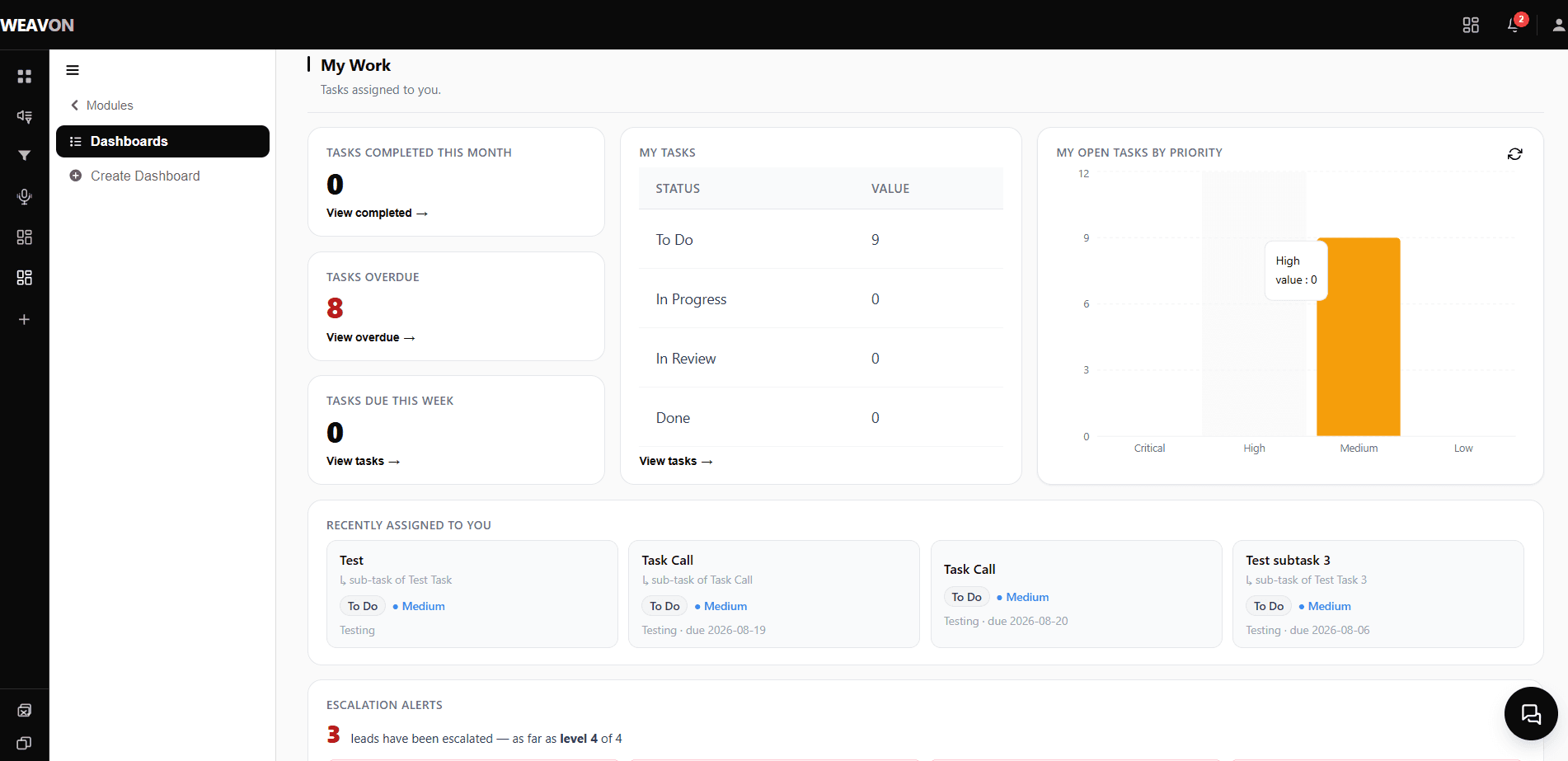
- Tasks
- Leads uploaded
- Leads assigned
Make the calls
Keep your dialer. Every recording lands on the lead it belongs to.
- Your dialer
- Recordings stored
- Matched to the lead
Read every call
The conversation gets scored on how it actually went — then the caller's own written remark is checked against it.
- Speaker timeline
- Call scoring
- Remark check
- Mismatch flagged
Let it chase
Follow-ups, qualified leads, meetings and overdue work each raise themselves — and climb the org chart if nobody answers.
- Follow-up reminders
- Qualified alerts
- Meeting reminders
- SLA escalation
Show the client
They log into their own portal and watch it happen. Questions get asked on the record they're about, and answered there.
- Client portal
- Comments on leads & tasks
- Live chat
- Shared dashboards
Same client, same lead, same task — carried the whole way.
Walk through it with one of your own clients.
Book a DemoYour team makes the calls. Weavon helps you understand them.
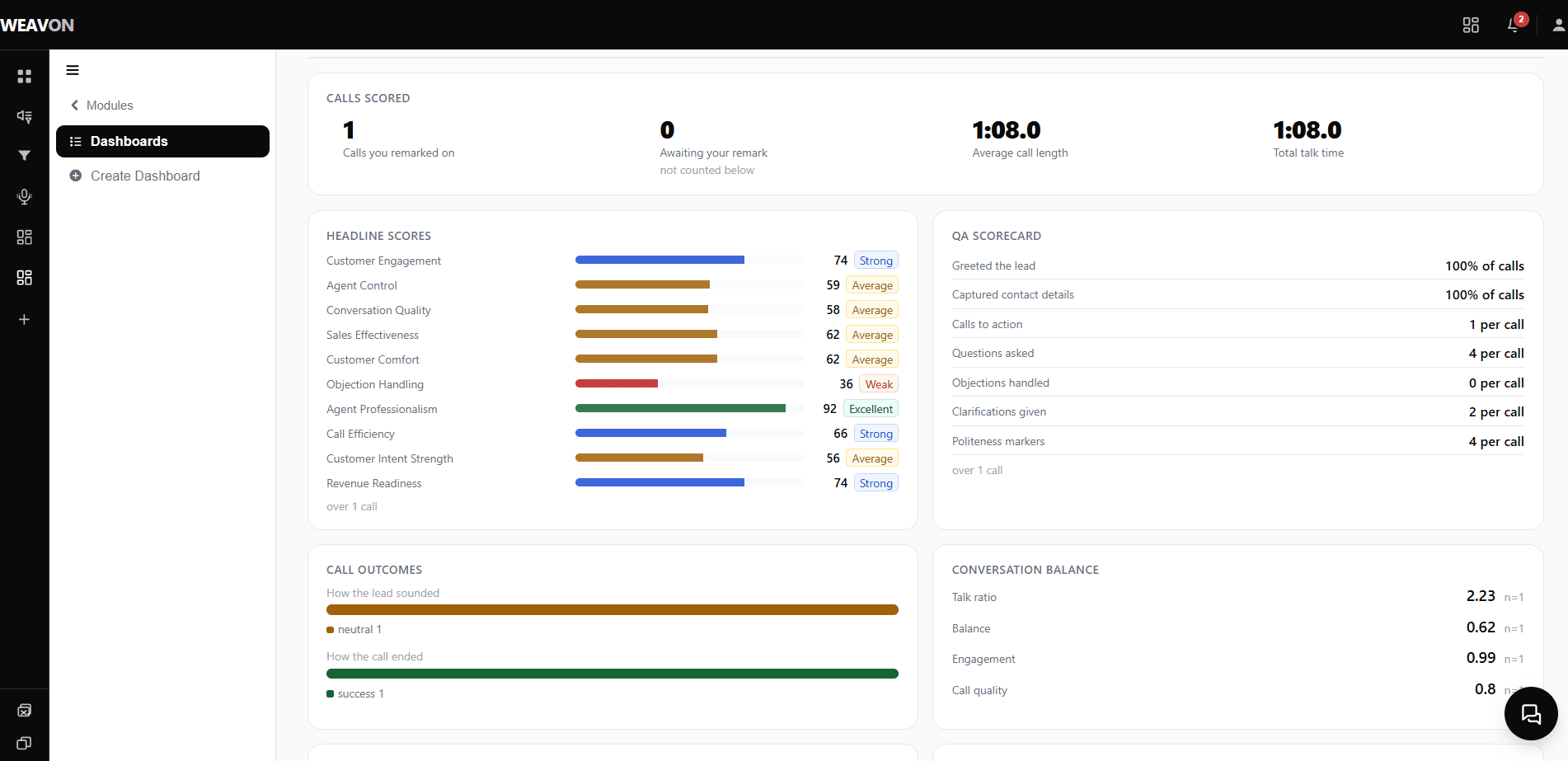
Recordings arrive from your own dialer. Everything after that is automatic.
Read
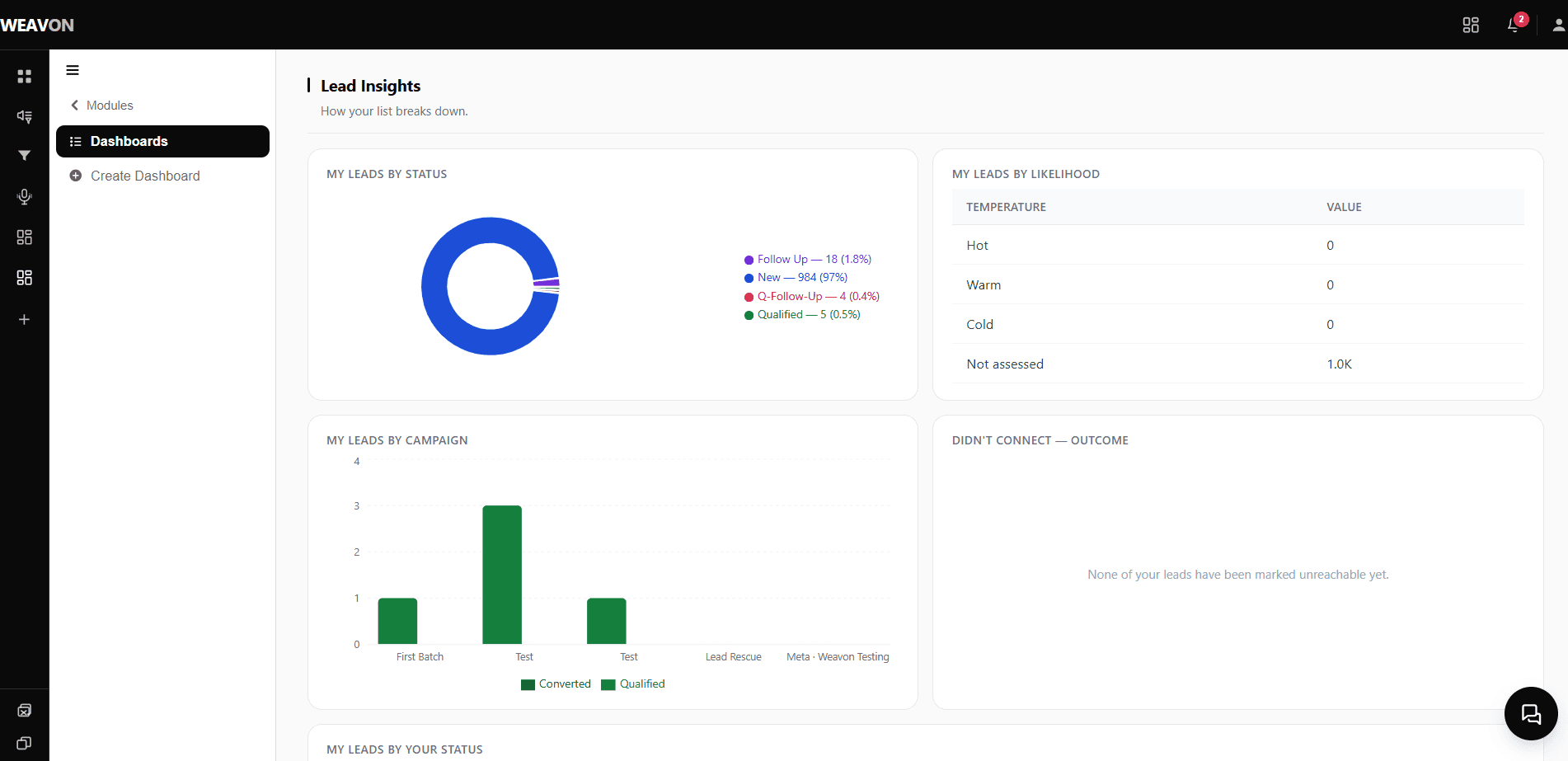
Every call, not just the few someone had time for.
Scored
Talk ratio, interruptions, objections, control.
Intent
Whether the lead warmed up or backed away.
Coaching
Compare callers on the same measures.
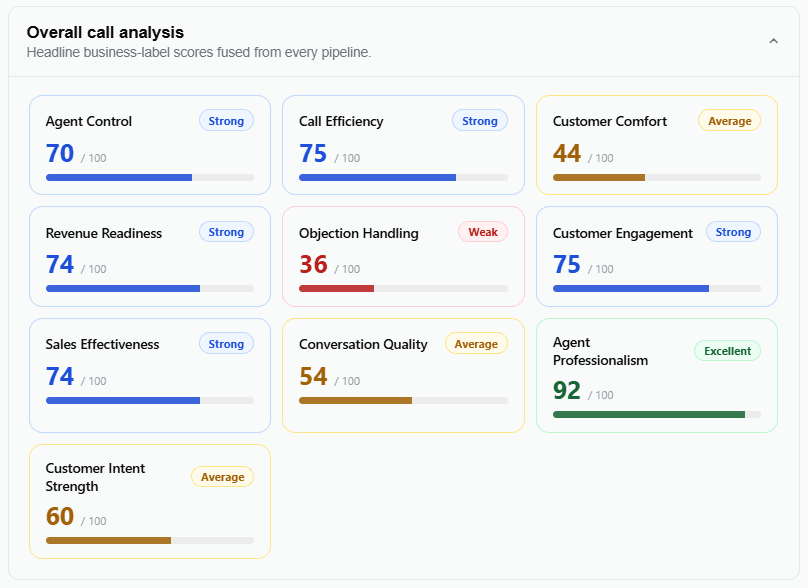
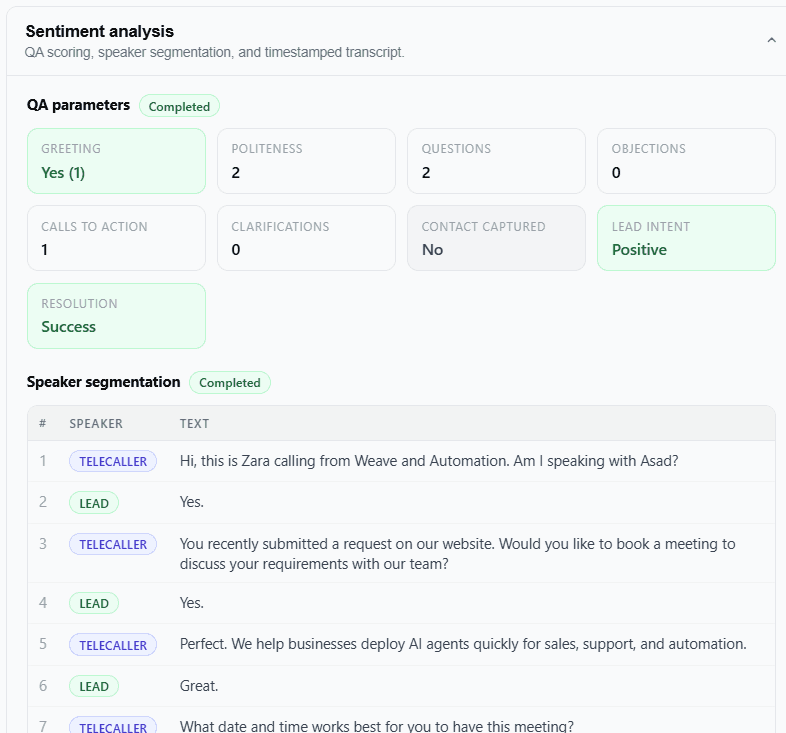
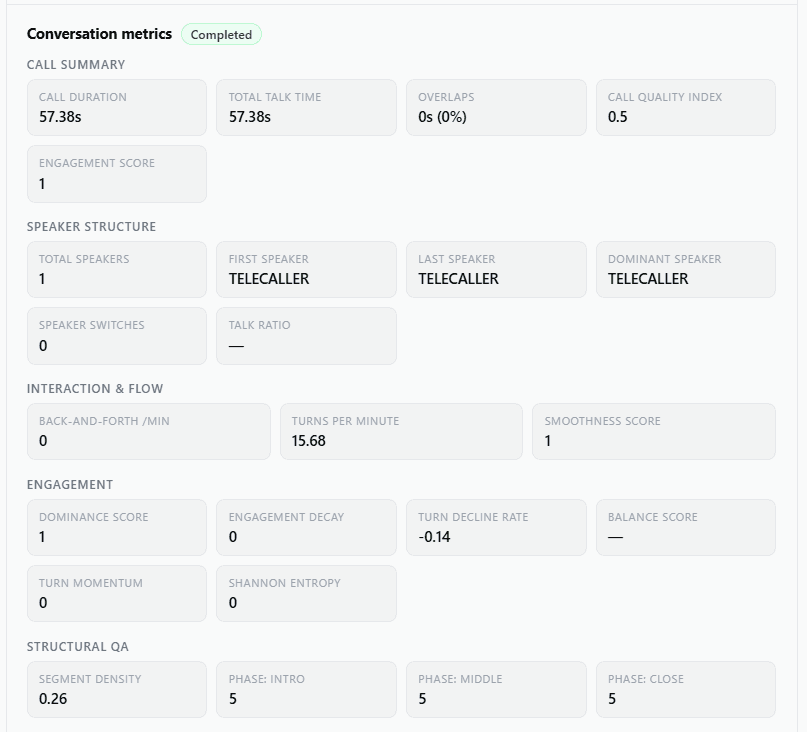
See what Weavon finds in one of your own calls.
Book a DemoDon't just trust the remark. Check the conversation.
A caller types what happened. Weavon checks it against the recording.
Checked
The written remark against the actual recording.
Flagged
With the reason and the timestamps. You decide.
Re-run
Edit a remark and it is checked again.
Scale
Nobody can listen to 1,200 calls a day.
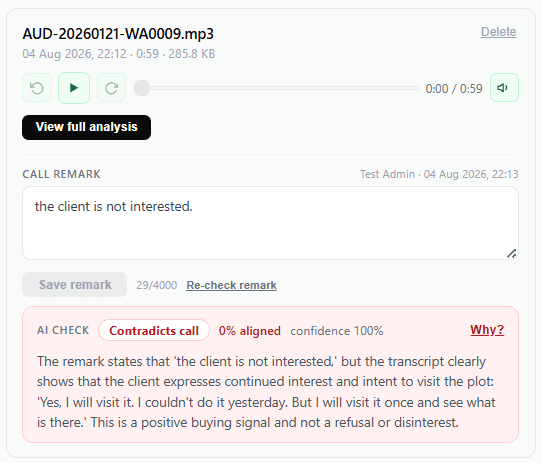
What this is, and what it isn't
It flags possible mismatches — a prompt to review a call, not a verdict on a person. A bad line or a language switch can produce one. Every flag opens onto the recording behind it.
Find out which of your team's remarks don't match the call.
Book a DemoStop chasing your team for updates
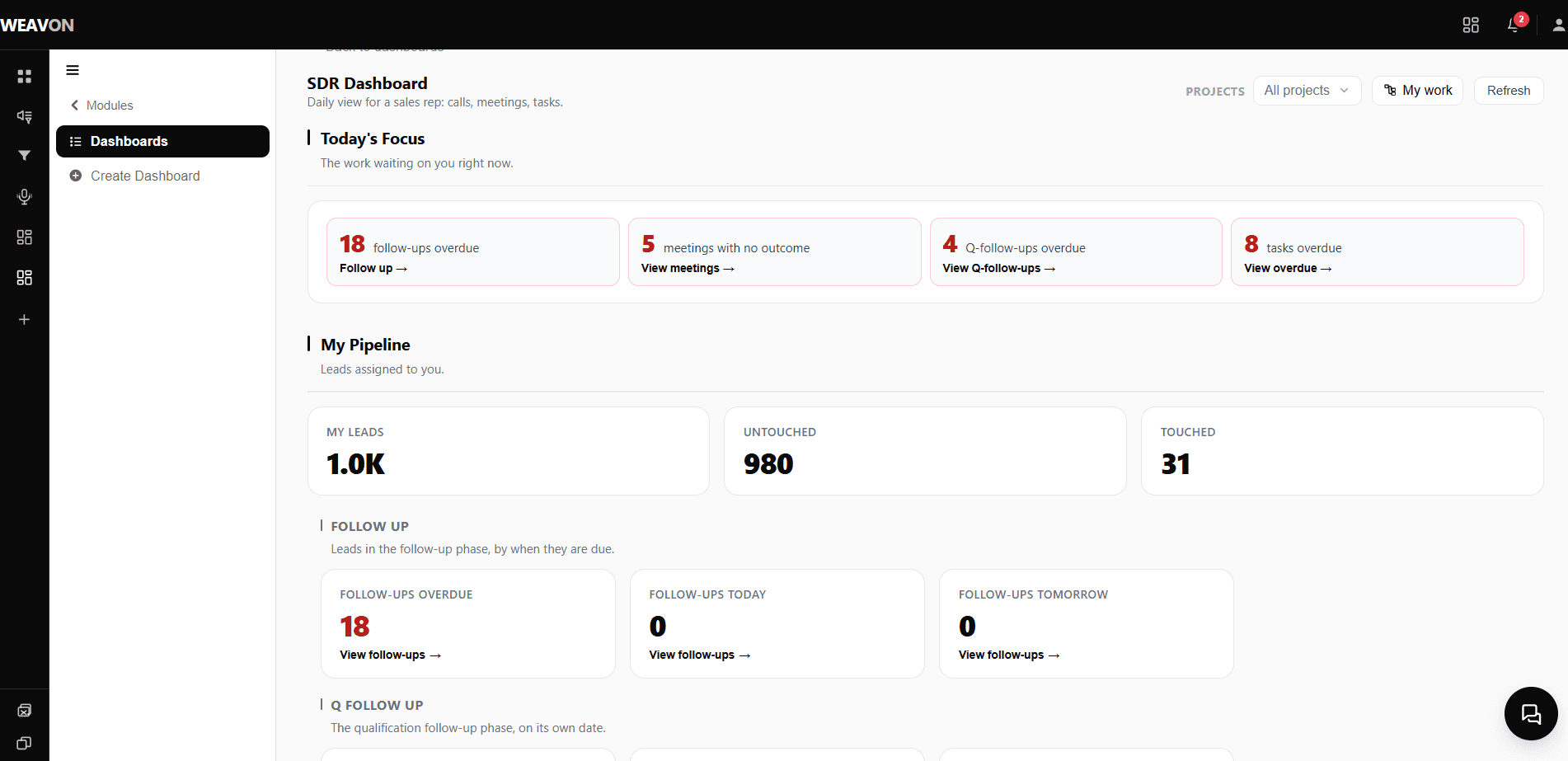
Follow-ups, overdue tasks, qualified leads and meetings raise themselves.
Overdue
Alerts the owner, then their manager.
Follow-ups
Scheduled the moment you mark one.
Qualified
The next person is told, the moment it qualifies.
Grouped
Twelve reminders arrive as one message.
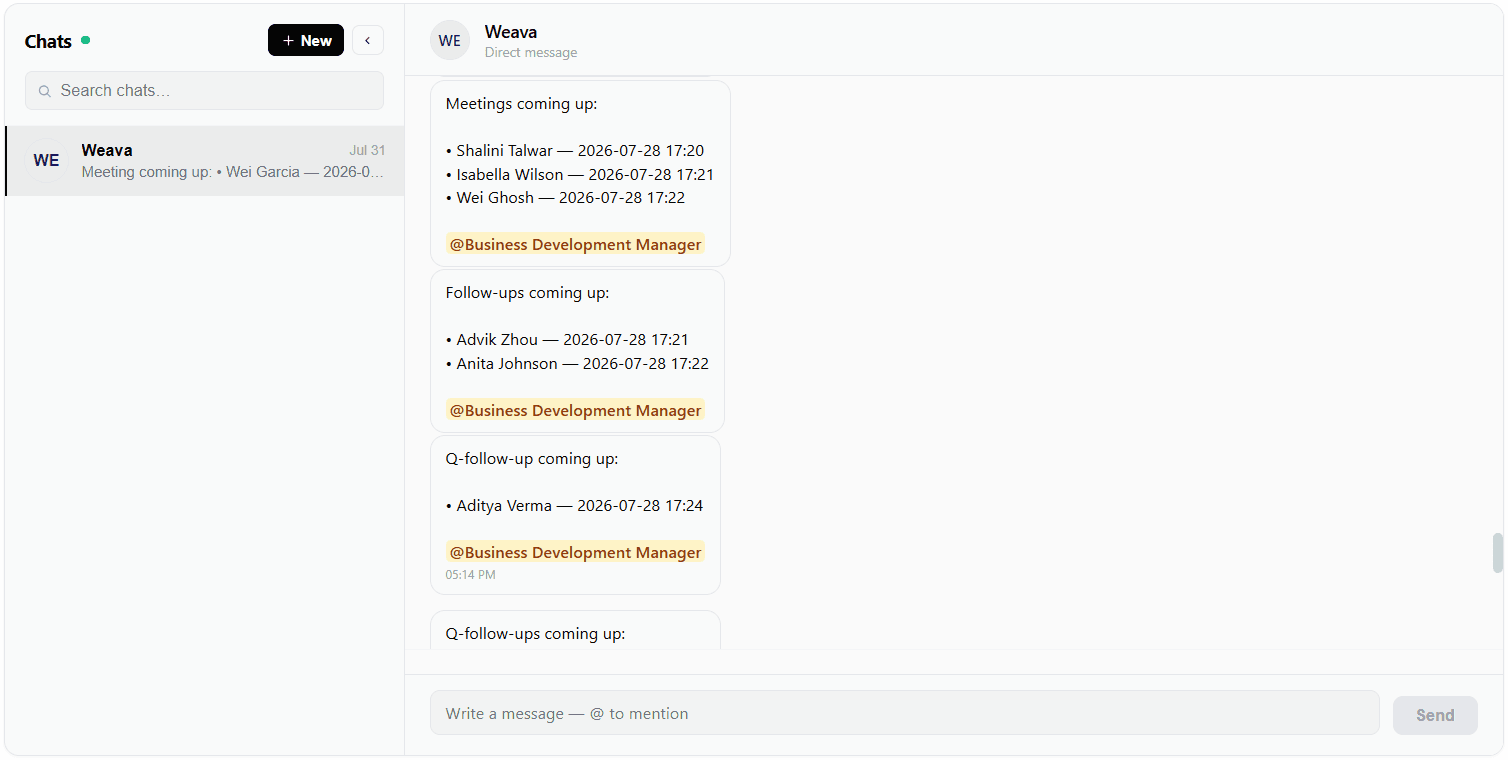
What fires, and where it goes
When a task runs late
- Task assigned
- Deadline passes
- Owner alerted
- Escalated to manager
When a lead needs a follow-up
- Marked follow-up
- Reminder scheduled
- Telecaller notified
- Email sent
When a lead qualifies
- Lead qualified
- Owner notified
- Manager notified
- Client sees it
Stop relying on managers to remember everything.
Let Weavon do the chasing for your team.
Book a DemoGive your clients visibility without giving them your internal chaos
They stop emailing for updates — and still see only what belongs to them.
Their login
Another client's data isn't hidden. It's unreachable.
No more emails
The answers are already on their screen.
Your brand
Your logo, domain and email. They never see Weavon.
You choose
Recordings reach a client only when you share them.
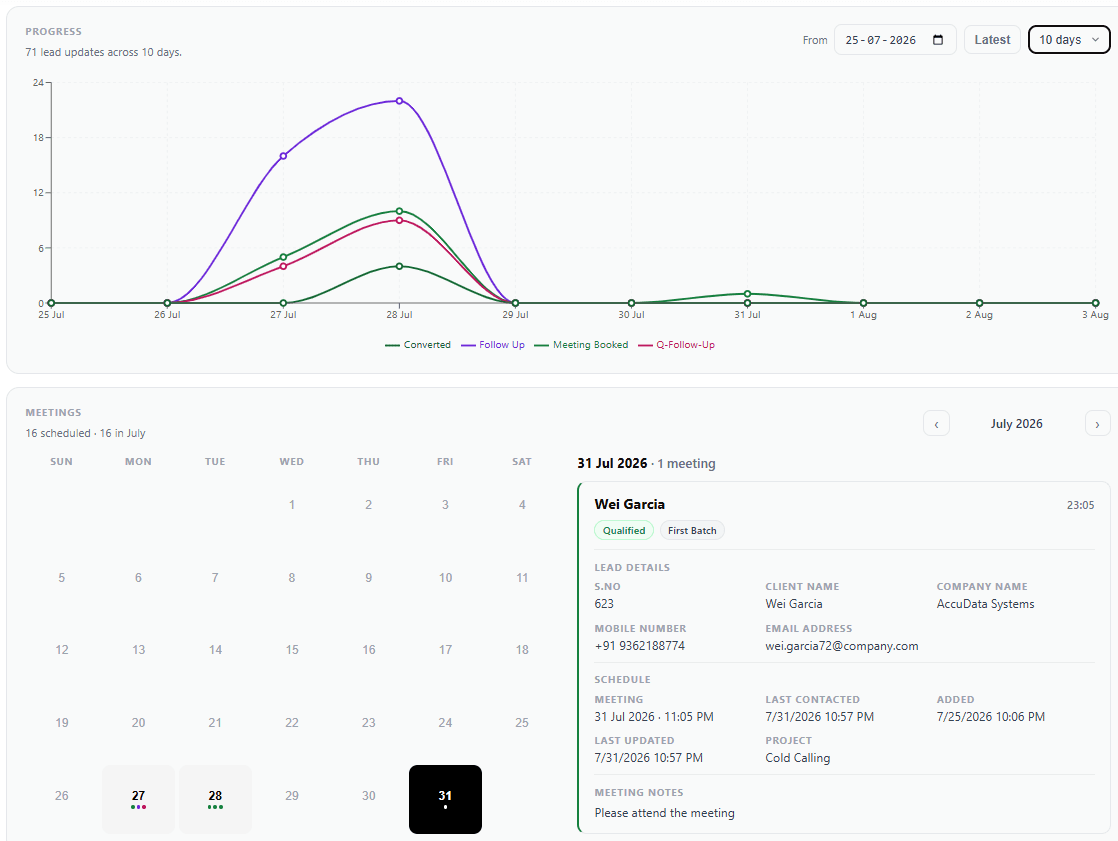
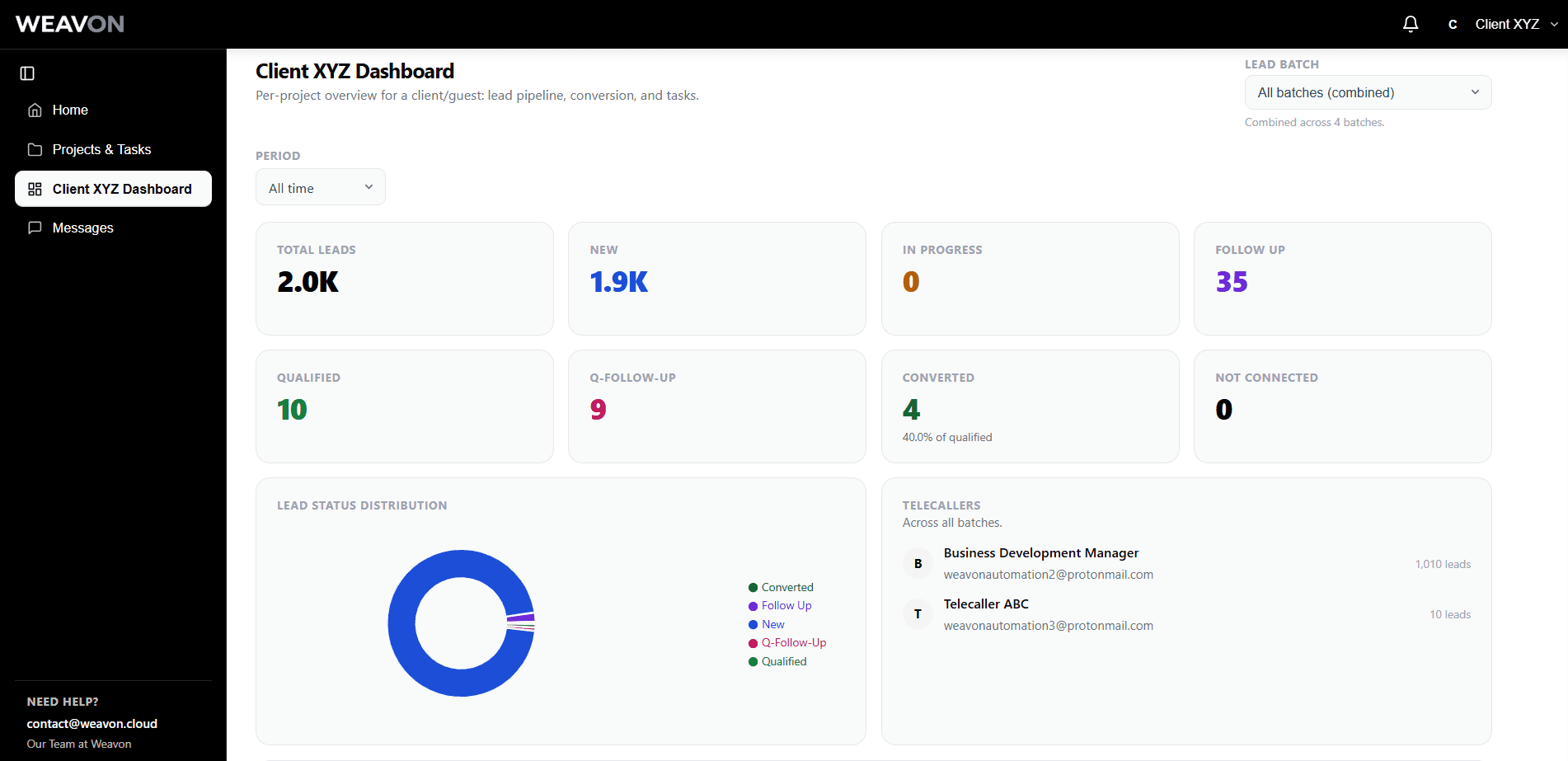
What your client sees
- Their projects and status
- Their leads and progress
- Tasks and completion
- Call activity on their work
- Their meetings
- Dashboards you share
What stays yours
- Your other clients
- Your team's pay and structure
- Internal notes about them
- Your margins and costs
- SLA breaches and escalations
- Anything you didn't share
Give every client a dashboard of their own.
Book a DemoTurn your client portal into a working relationship
No more WhatsApp at 9pm. Questions get asked on the record they're about.
On a lead
Has anyone reached this one? They emailed us directly.
Called twice, no answer. Third attempt booked for Thursday.
Telecaller
On a task
Can we add 50 more from the Pune list to this batch?
Added and assigned. It'll be worked from tomorrow morning.
Project lead
In chat
Quick one — are we still on for Thursday's review?
Yes, 11:00. I've sent the invite across.
Account manager
The next person to open that record sees the whole conversation.
See what your own clients would be looking at.
Book a DemoKeep the dialer you already use
Don't replace your calling infrastructure. Just connect it.
Stays exactly as it is
Your existing dialer
Same software, same numbers, same habits. Nothing to re-train.
- Cloud telephony
- On-prem PBX
- Predictive dialer
- Softphone
Connects the calls to the work they belong to
Leads
Matched to the right record
Tasks
Progress updates itself
Recordings
Filed against the lead
Call analysis
Runs automatically
Follow-ups
Raised on schedule
Reporting
For you and the client
Weavon is not a dialer, and doesn't want to be one. It's everything around the calling. Your dialer keeps doing what it does.
Tell us which dialer you run.
Book a DemoBring your entire calling team into one place
Everyone who touches a call works in the same system, with exactly the access you gave them.
Invite
An email and a role. No IT project.
Workspaces
Sales, Insurance, Quality — each with its own team.
Groups
Build “Telecaller” once. Edit it, everyone updates.
Access
A caller sees their leads. Never another client's.
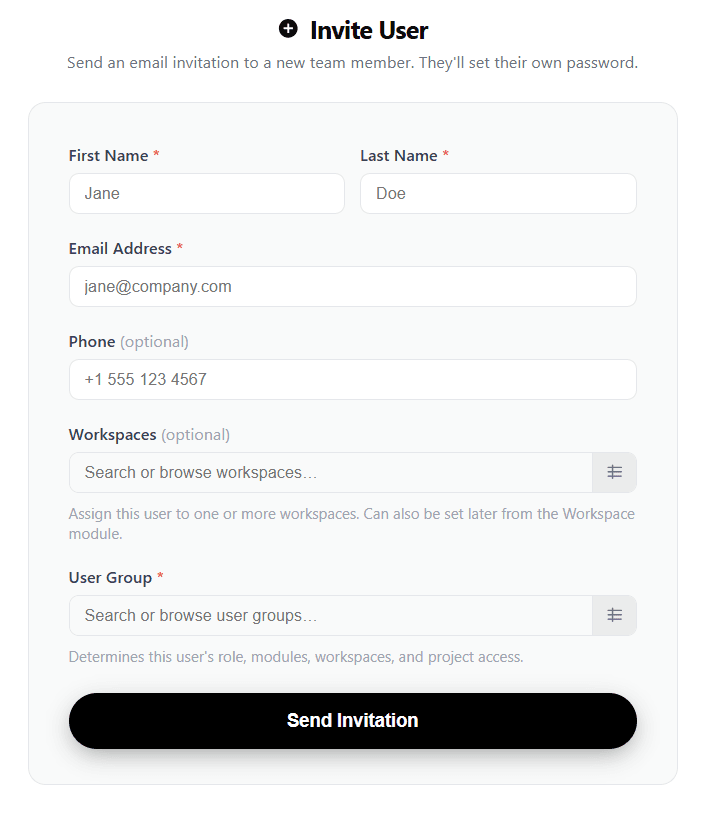
See how your team would be set up in Weavon.
Book a DemoFrom first meeting to fully onboarded client
Five scattered links become one sequence that ends with the account already built.
Meeting Scheduler
Clients book from your real availability. Invitations and reminders send themselves.
Form Builder
Your onboarding questionnaire, on your own domain. Answers arrive as a record.
Document Signing
Agreements signed in the same run — tamper-evident, audited, verifiable after the fact.
Onboard your next client without the back-and-forth.
Book a DemoTurn every client into an organised operation
Client becomes project. Project becomes tasks. Tasks carry the leads.
Clients
Every project belongs to one. You always know whose.
Tasks
An owner, a deadline, and the leads pinned to it.
Batches
Upload a list and keep your own columns.
Assignment
Split a batch across the team in one action.
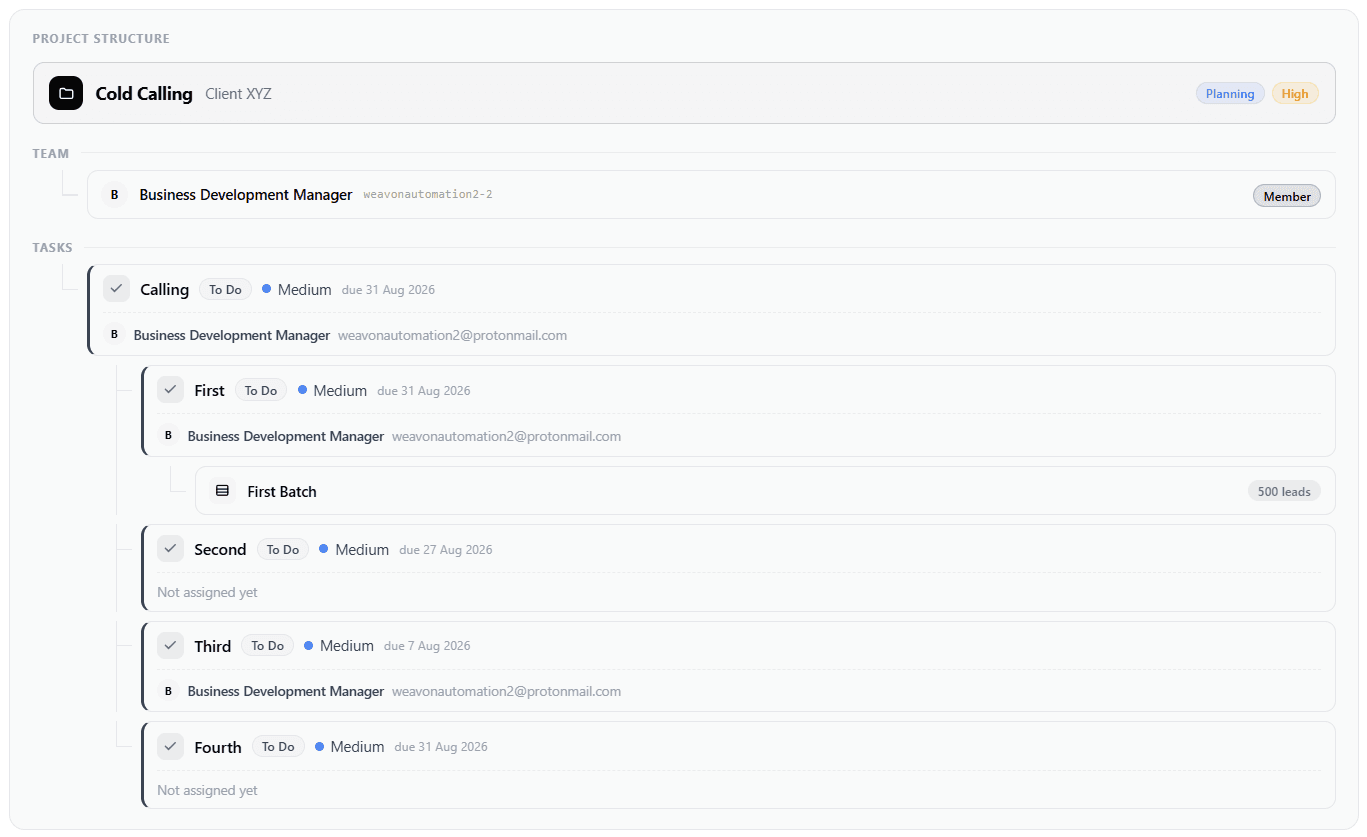
See your projects, tasks and leads in one place.
Book a DemoNeed more leads? Run your outreach from the same platform
When the list runs dry, you don't need another subscription.
Builder
Build the email without a designer.
Campaigns
Sequenced outreach to a list you own.
Your sender
Your domain, your mail server.
Replies
They land in a shared inbox, not a black hole.
Run cold email from the same platform your callers use.
Book a DemoBuilt for businesses that run on calls
If your team's day is a list of numbers and outcomes to record.
- Real Estate
- Insurance
- Finance & Loans
- Education & Admissions
- Healthcare
- Automotive
- Recruitment
- BPO & Call Centres
- Lead Generation
- Sales Outsourcing
- Appointment Setting
- Inside Sales
Anywhere a team works a list on behalf of someone else.
Tell us how your team works and we'll show you Weavon around it.
Book a DemoStop managing your telecalling operation across disconnected tools
- Your team
- Your clients
- Your leads
- Your existing dialer
Weavon brings the operation together.
Try Weavon free for 28 days, then continue on a paid plan. No card needed. A partnership program is also available. Ask us about either when you book your demo.